
How to Get Court Records
Begin with the case number and the exact record you need. eCourts Smart Search can confirm both. Its Case Summary gives you the current picture before you call anyone. For inspection, a plain copy, certification, or a question about a filed document, contact the Yadkin Clerk of Superior Court. That office serves as the local records channel for Superior and District Court files alike. Confirm details before you send any payment. The Clerk posts no certified-copy order form. The office also lists no records email, fax route, turnaround time, or bulk-data service.
- Identify the case and choose the needed item: Case Summary, filed document, plain copy, certified copy, exemplification, transcript, audio, or inspection.
- Use eCourts Smart Search to get the accurate case number and public case context.
- Call or visit the Yadkin Clerk with the case number, document type, and whether inspection, a copy, or certification is needed.
- Use the courthouse public terminal when a public record is not fully visible online or a protected-order existence check needs the Clerk-office route.
- For a mailed request, confirm the charge and method first, then send the request to the Clerk's P.O. Box address. For an administrative Judicial Branch record, use the separate public-record process, not the individual case-file route.
One caveat is worth a line of its own. The online Case Summary can clear up confusion about a case, but Yadkin's published sources promise neither online document images nor an online certified-copy order.
Yadkin County Court Record Types
Three requests that sound alike lead to different places. A Case Summary, also called a Register of Actions, is the online sequence and case-level record shown where public access permits. A filed document is the actual pleading, order, judgment, or other paper in the court file. A certified copy is a Clerk-issued copy authenticated through the court's certification or seal process. The Portal can put a Case Summary in front of you at once. That speed does not mean every underlying paper is available to download.
| Item | What it is | Yadkin route |
|---|---|---|
| Case Summary | Online case-level and event sequence. | eCourts Smart Search or the courthouse public terminal. |
| Filed document | Pleading, order, judgment, or other file paper. | Ask the Yadkin Clerk for the file or copy, subject to access limits. |
| Certified copy | Clerk-authenticated copy. | Request from the Clerk, subject to fees and restrictions. |
| Transcript | Record of a proceeding prepared by a court reporter. | Request from the court reporter, not the Clerk. |
| Audio recording | Recording request where available. | State guidance refers to form G-114 and actual CD cost; confirm the route. |
The Judicial Branch page on obtaining court records describes Clerk terminals, copies, transcripts, confidential records, and audio requests. 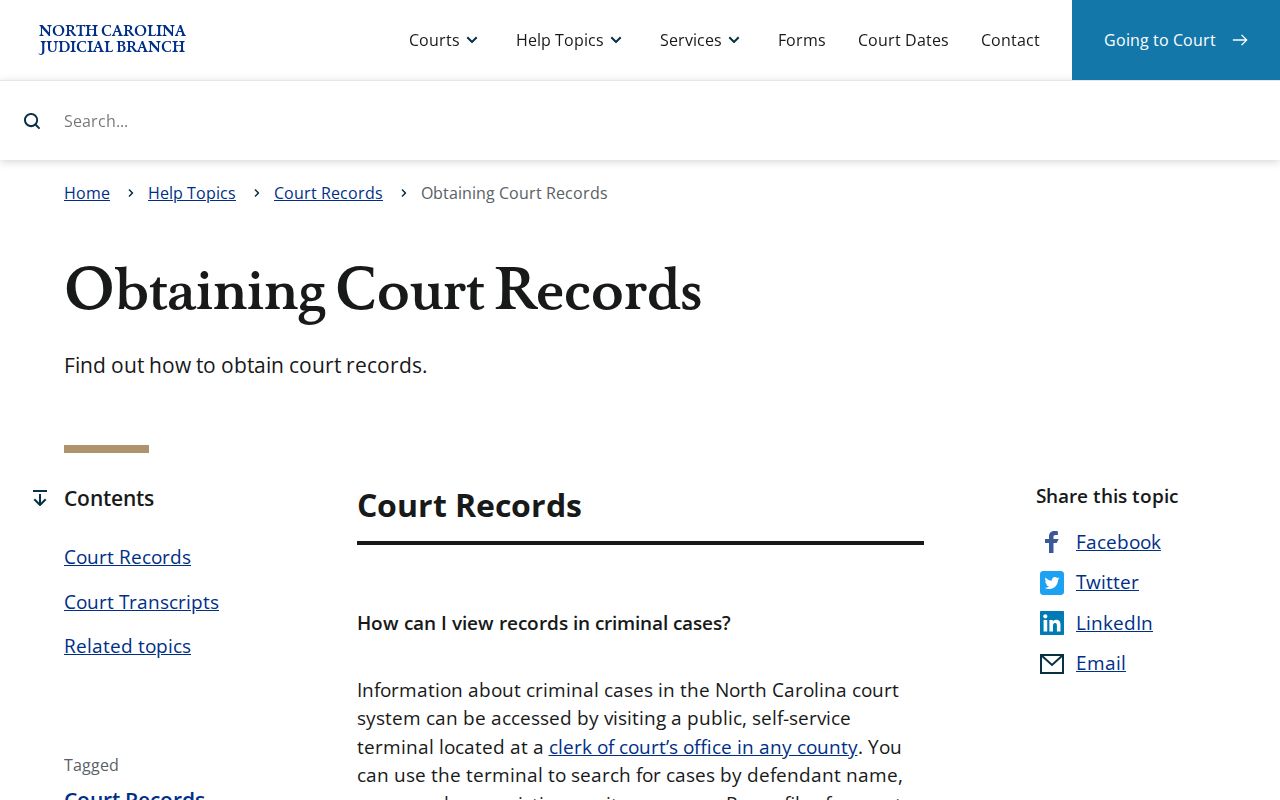 The state guidance supports the Clerk path for case copies and the court-reporter path for transcripts.
Types of Court Records
The Yadkin Clerk keeps trial-court records for both Superior and District Court. Coverage runs across felony, misdemeanor, infraction, civil, small-claims, estates, special-proceeding, family, and related docket records. What a file holds in public view varies by case. A public Case Summary may show case information, assignments, parties, events, hearings, dispositions, and financial information. Those items appear where applicable. When you request a copy, name the document you want. Not every event entry has a public image behind it.
- Case Summary or Register of Actions.
- Filed pleadings, motions, orders, and judgments when public access permits.
- Plain or certified copies of documents in the Clerk-held file.
- Criminal, civil, special-proceeding, estate, family, and related trial-court records.
- Transcripts from the court reporter and audio through the documented state request route where available.
Yadkin County Court Records Clerk
Yadkin uses a unified Clerk of Superior Court structure. It does not keep separate county offices for civil and criminal trial files. The Clerk maintains records, files, dockets, and indexes for inspection during regular hours. Access closes only when another law restricts it. Need context for a Case Summary, a paper file, a copy, certification, or a possibly restricted record? The office is the local fallback for all of it. The Clerk also handles District Court records. Superior and District scheduling simply use different published phone lines.
Yadkin Clerk of Superior Court
101 S. State Street
Yadkinville, NC 27055
P.O. Box 95
336-679-3600
Public hours: 8:00 a.m. to 5:00 p.m., Monday through Friday
N.C.G.S. section 7A-109 is the Clerk recordkeeping and inspection authority. 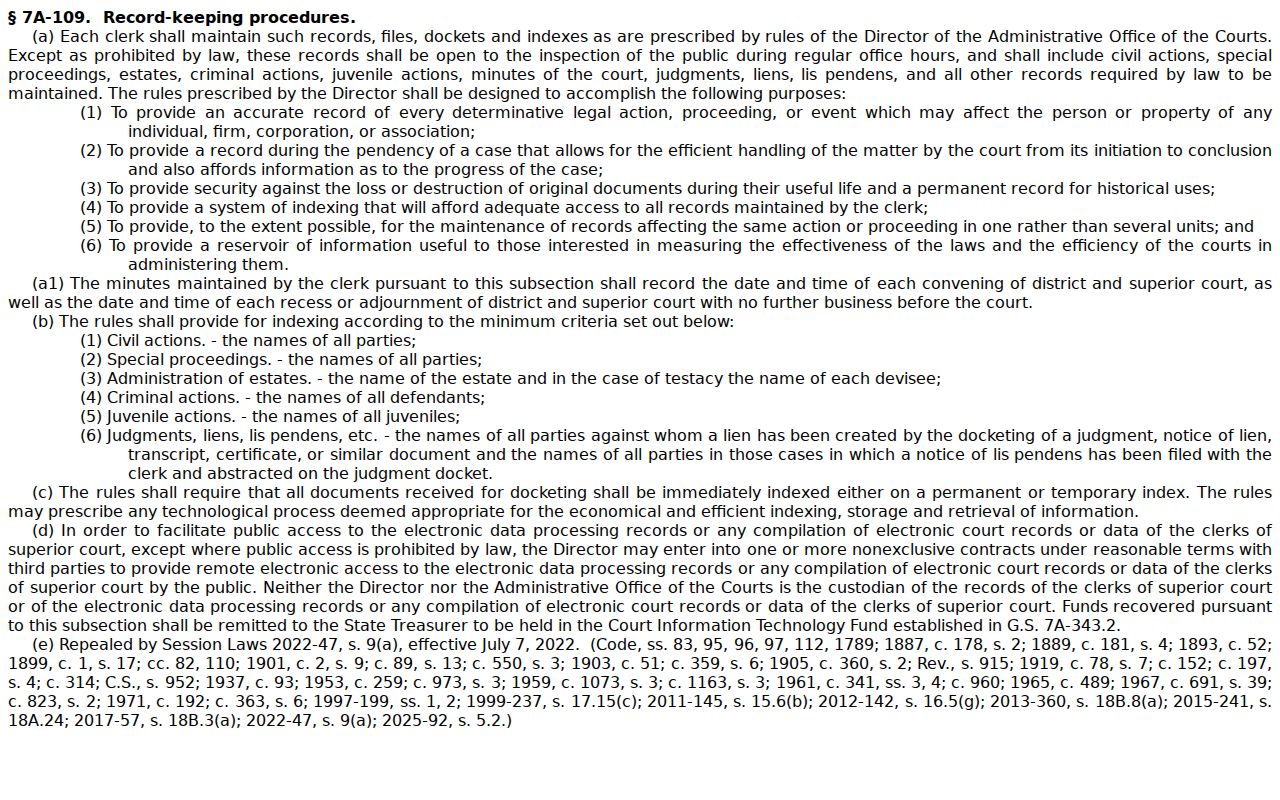 It is the legal reason regular-hours inspection starts with the Clerk, subject to limits imposed by other law.
What a Court Record Contains
A court record is more than a title and date in a search result. The online Case Summary can show the system's case-level blocks. It also carries a chronological Case Events history. The Clerk-held file can contain the papers that were filed. What you see depends on the record's public status. Read each item by type. A Case Summary is a searchable view of the action. A signed order, judgment, or pleading is a filed document. A certified copy is a Clerk-authenticated copy of a document, provided when access permits.
| Case number | The system identifier, such as the documented format 25CR000123-980, used here only as an illustration. |
|---|---|
| Case and party information | Core case-level details and party roles that the Portal may make public. |
| Case Events | Chronological activity. An event is not automatically a hearing or final outcome. |
| Hearings and dispositions | Scheduled-event information and recorded outcomes where available. |
| Filed documents | Pleadings, orders, judgments, and other papers requested from the Clerk when accessible. |
| Certification | The Clerk's authentication or seal process, distinct from a web display or plain copy. |
Yadkin County Court Records Transcripts
A transcript is not a Clerk copy request. Statewide court-record guidance sends you to the court reporter. The reporter sets the rate. Identify the hearing and its date before asking for the reporter route. No online Yadkin transcript order form or fixed local transcript price exists. Criminal District Court proceedings are generally not recorded. The exception is pleas in certain high-level felony cases, unless otherwise ordered. That is a statewide limit. It says nothing about any one Yadkin case. Audio is a separate category. The Judicial Branch records page points to form G-114. It also lists actual CD cost for an audio request where available. Confidential records may need court permission. The same guidance points to form G-115 for that request. Confirm the route with the Clerk or court before sending payment.
Certified Copies and Fees
A plain copy and a certified copy are different requests. The statutory copy schedule charges for preparation of each document. A certificate under seal and an exemplification are separate items. Ask the Clerk whether the document can be copied, whether certification is available, and what page count applies before paying. The fee schedule below is the North Carolina statutory baseline. A processing fee applies to card transactions at the Yadkin cashier or the online payment route, per the county payment page, which does not state the card-fee amount or percentage.
| Item | Statutory amount |
|---|---|
| Copy preparation, first page of each document | $2.00 |
| Each additional page of the same document | $0.25 |
| Certificate under seal | $3.00 |
| Exemplification | $10.00 |
| Criminal-record search | $25.00, subject to statutory exceptions |
The official Clerk fee statute supplies those copy, certification, exemplification, and search amounts. 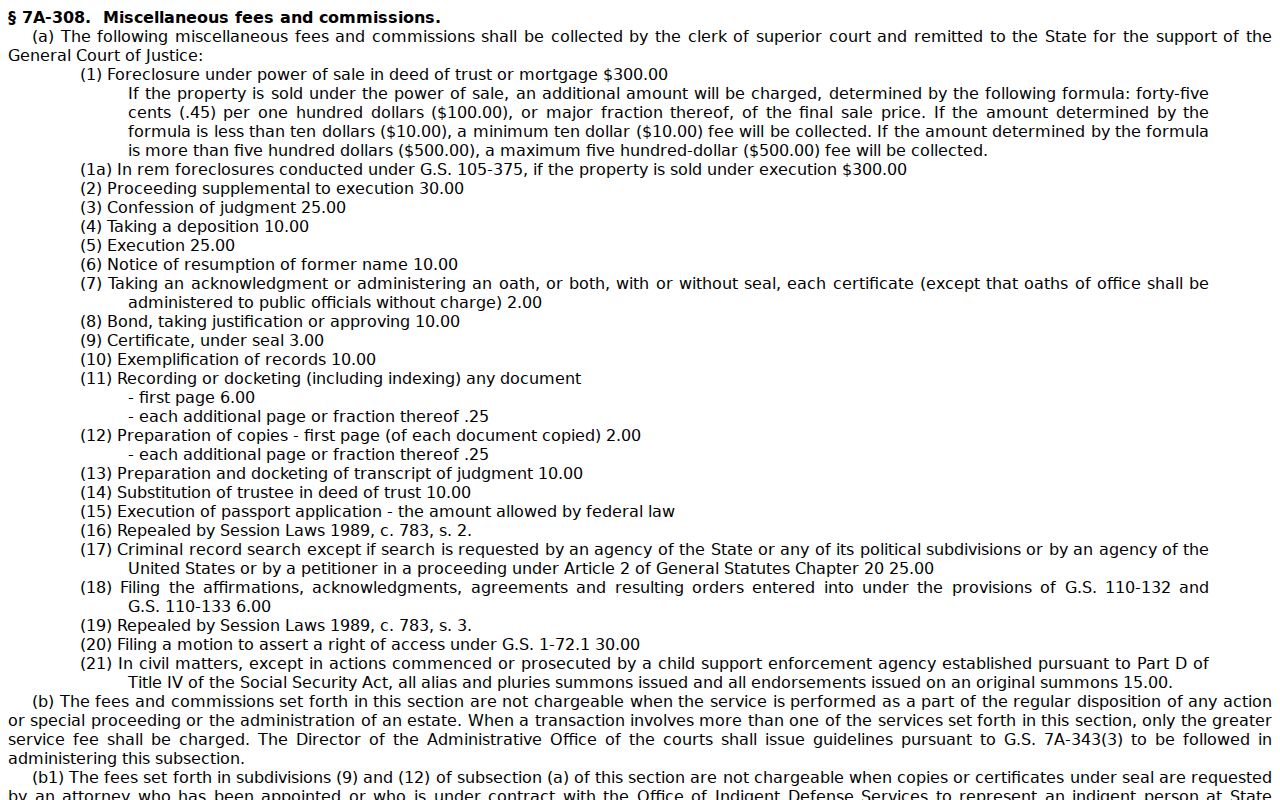 A free Portal view is not the same as a statutory search service or a certified Clerk copy.
Yadkin County Court Records Payment
Need to pay on a Yadkin County case? The Yadkin payment page lays out the details. Mail goes to the Clerk with a money order or certified check made out to Yadkin Clerk of Court. Cash and personal checks are not accepted that way. In person at the Cashier's Office, you can use cash, a money order, a certified check, MasterCard, Visa, American Express, or Discover, and card transactions carry a processing fee. One caution applies. Those instructions cover court obligations, not necessarily every document-copy request, so confirm the charge and the method before you send money.
A statutory criminal-record search fee is a separate animal from free Portal searching. The Portal training materials describe the ordinary public search as free. Section 7A-308, though, sets the fee for the Clerk's search service, subject to statutory exceptions. The smart approach is simple. Find the case on the Portal first. Then tell the Clerk precisely which search or copy you want.
Yadkin County Court Records Requests
Don't mistake the Judicial Branch public-record request form for a way to get case documents. That form exists for administrative records. It reaches no pleading, judgment, or docket sheet in an individual Yadkin County case. Anyone seeking a case document is pointed elsewhere. The Judicial Branch itself sends them to the Clerk of Court in the county where the case was filed. N.C.G.S. section 132-6.2 adds another limit. No public body must create or compile a record that does not already exist. So skip the request to have something assembled. Ask the Yadkin Clerk for the existing case record instead.
The Judicial Branch public-record request page explains that routing distinction. 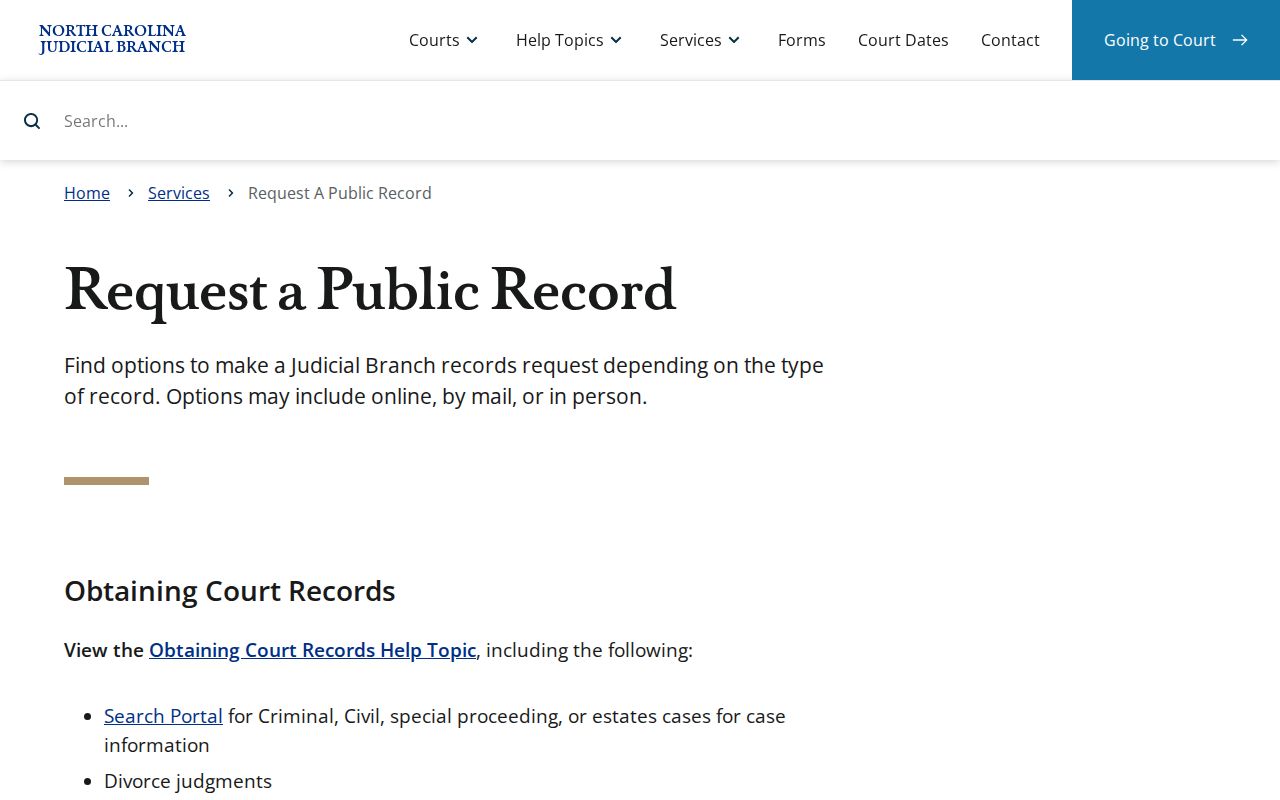 Its instructions point individual court-file requests back to the county Clerk.
Yadkin County Court Records Form Limits
The administrative request form gathers your name, title, organization, phone, email, street address, city, state, ZIP code, and a description of the record. Those fields do not build a Yadkin County case-copy submission system. The county publishes no case-document request form, tracking number, ID rule, county appeal route, or processing time. So cut out the middle layer. For a pleading, judgment, docket, or certification, contact the Clerk directly. Give the case number and the record type, and the request moves from there.
The Judicial Branch public-record request form is the administrative interface. 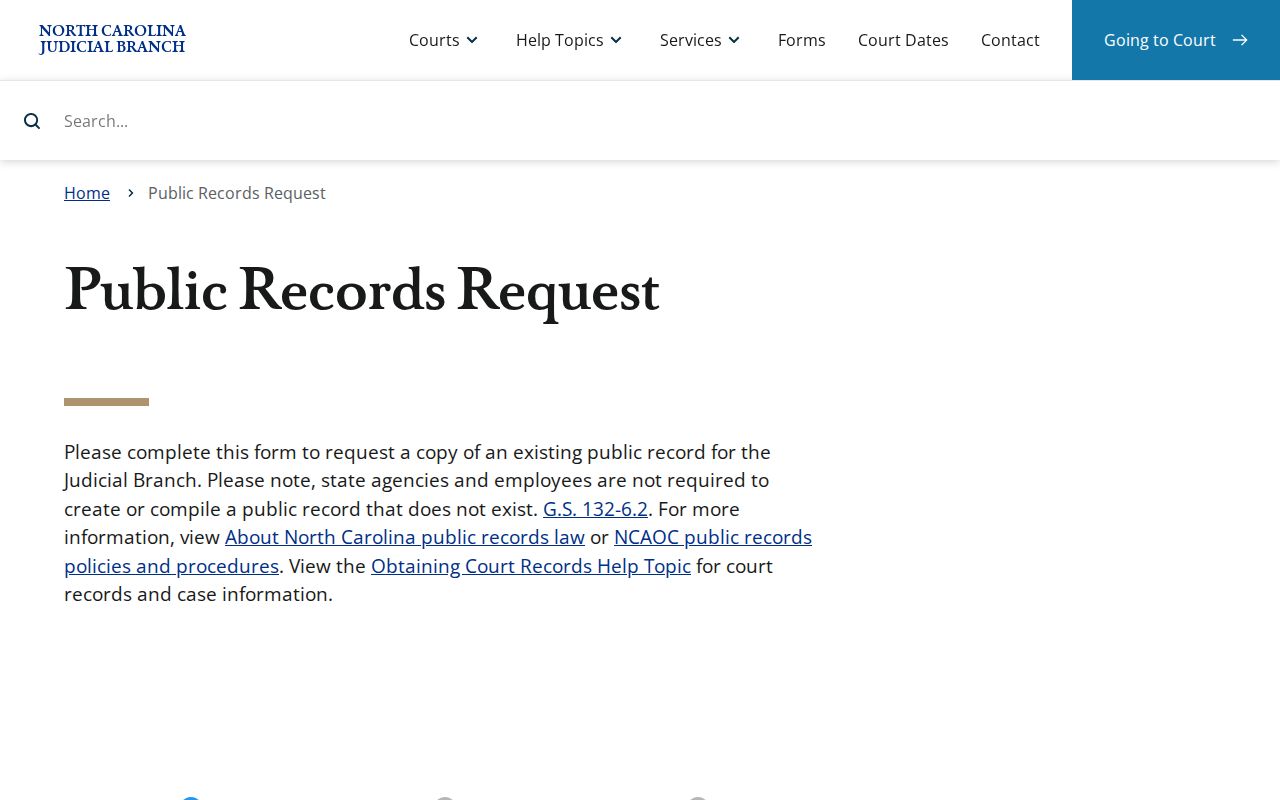 The form's existence does not change the Clerk's responsibility for individual court case documents.
Public Access and Sealed Records
North Carolina law opens the Clerk's records, files, dockets, and indexes to inspection during regular hours. Another law can block access. The general public-record framework does not erase limits that apply to court records specifically. Juvenile records are confidential. Domestic-violence protective-order information stays out of ordinary Portal search. The Portal FAQ allows confirmation of a case's existence at a public terminal before contacting the Clerk. Victims never appear in public Portal results. Material that is sealed or restricted may simply be off limits. That can rest on law or court order.
Key rules:
N.C.G.S. section 7A-109 directs the Clerk to maintain records, files, dockets, and indexes and allows regular-hours inspection unless access is restricted.
N.C.G.S. section 7A-308 sets Clerk copy, certification, exemplification, and criminal-search fees.
N.C.G.S. section 132-1 defines public records within the state's general access framework, subject to exemptions and court-record rules.
N.C.G.S. section 7B-3000 limits inspection of juvenile records to authorized people, agencies, or court order.
Before requesting copies, run the case number through the county's case search route. A Portal result that is missing or restricted tells you little on its own. Ask the Clerk what access path exists rather than assuming the online gap defines the record's status.
Yadkin County Court Records Fallback
Yadkin County publishes no online image service, certified-copy form, email address, fax number, or turnaround time for records. The safe fallback is direct confirmation from the Clerk. Give the case number and name the document. State whether you want a copy, a certification, or just to inspect the file. Before paying anything, ask about restrictions, page charges, payment methods, and how you'll receive the record. Transcripts work differently. Identify the hearing and ask for the court-reporter route. For audio, confirm whether the state form and the actual CD-cost process applies. Ask whether it covers what you're after.